Eight ways to take notes, what each one is good for, and a free template for every one. Not sure where to start? The method finder suggests two in about a minute.
- No ads, no sign-up
- Free to print and share (CC BY 4.0)
- Every claim sourced
- Last checked October 2, 2026
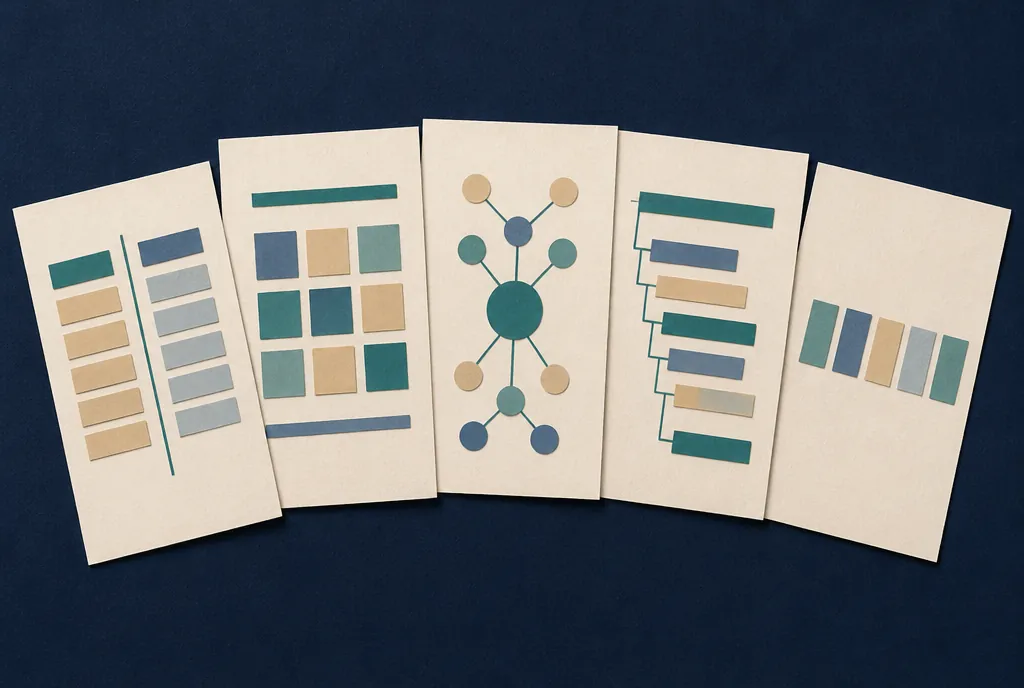
Which note-taking method fits?

There’s no single best method. The right one depends on the class, how fast it moves, and what you’ll do with the notes later.
Answer five quick questions and the finder suggests two methods to try, with the reasons. It runs in your browser and saves nothing. You can also skip it and read about all eight below.
Method finder: 5 questions
About 1 minute
The eight methods at a glance
Many college learning centers teach five classic methods: Cornell, outline, charting, mapping and sentence. Three newer ones (boxing, flow notes and sketchnotes) round out the list.
- Method 1Cornell notesLectures you'll be tested on; turning notes into self-quizzes
- Method 2Outline methodWell-organized lectures and textbooks with clear headings
- Method 3Charting (matrix) methodComparing several things on the same features
- Method 4Mapping: mind maps and concept mapsSeeing how ideas connect; planning essays
- Method 5Sentence methodFast lectures with little obvious structure
- Method 6Boxing methodGrouping notes by topic on a tablet or after class
- Method 7Flow notesUnderstanding over transcription; discussion classes
- Method 8SketchnotesVisual thinkers; talks and processes
Cornell notes
A page split into three parts: a wide column for notes during class, a narrow column for cue words and questions added afterward, and a strip at the bottom for a summary.
Walter Pauk developed the system at Cornell University and described it in How to Study in College.1 Its strength is what happens after class: cover the notes column, answer the questions in the cue column from memory, and you’ve turned your notes into a self-quiz.
- During class, write main ideas and examples in the notes column. Phrases, not sentences.
- Soon after, pull key words and questions into the cue column.
- Cover the notes column and answer each cue out loud. Check, and fix what you missed.
- Write two or three sentences in the summary strip, from memory.
Best for
Lecture courses with tests. Anyone who rereads notes and still forgets them.
Watch out for
Skipping the after-class steps. Without the cues and summary it’s just ordinary notes with a wide margin.
Our Study Skills Library covers Cornell notes in more depth, with a lecture listening checklist.
The outline method
Main points at the left margin. Supporting details indented under them. Examples indented further still. The indentation does the organizing.
- Start each new main topic at the margin. Use the instructor’s headings or slide titles when there are some.
- Indent one step for each detail that supports it.
- Indent again for examples, dates, formulas and the like.
- Leave space between main topics, so you can add things you missed.
- After class, turn each main topic into a question and quiz yourself on the details underneath it.
Numbers and letters (I, A, 1, a) are optional. Bullets and dashes work. On a laptop, the Tab key does the indenting for you.
Best for
Organized lectures, textbook chapters with clear headings, and planning essays.
Watch out for
Speakers who jump around. If you can’t tell what’s a main point and what’s a detail, switch to the sentence method and outline later.
The charting (matrix) method
A table. The things you’re comparing go across the top; the features you’re comparing them on go down the side. Facts land in the cells.
A history class comparing four revolutions might have columns for each revolution and rows for causes, leaders, dates and outcomes. A pharmacology class might compare drugs on use, dose and side effects.
- Set up the columns before class if you know the topics from the syllabus or reading.
- Add rows as the categories become clear. It’s fine to add a row halfway through.
- Fill cells with short phrases. Leave a cell empty rather than guessing; it shows you what to look up.
- Read across a row afterward to spot patterns: which items share a feature, which one is the odd one out.
What the research says
Educational psychologists Douglas Kauffman and Kenneth Kiewra compared students studying the same material as plain text, an outline or a matrix. The matrix produced the best learning of both individual facts and the relationships between them. Their explanation: a matrix puts related facts next to each other, both by topic and by category, so patterns that are scattered across a text become visible.2
Best for
Comparing several things on the same features. Reviewing for exams with “compare and contrast” questions.
Watch out for
Lectures that don’t compare anything. Forcing a story or an argument into a grid loses the thread.
Mapping: mind maps and concept maps
The main topic goes in the middle of the page. Related ideas branch out from it, and their details branch out from them. The page becomes a picture of how ideas connect.
There are two main kinds, and the difference matters:
- Mind maps radiate from one central idea, with single words or short phrases on each branch. Tony Buzan popularized them in his 1974 book Use Your Head.3
- Concept maps can have several starting points, and each connecting line carries a linking phrase that says how two ideas relate (“causes,” “is part of,” “is opposed by”). Joseph Novak’s research group at Cornell developed them in the 1970s.4
- Turn the page sideways and write the topic in the center.
- Add a branch for each main idea as it comes up.
- Hang details off the branch they belong to.
- Draw cross-links between branches when two ideas connect, and label the link.
What the research says
A meta-analysis of 55 studies with more than 5,800 students, from fourth grade through college, found that working with concept maps was linked to better retention than comparison activities such as reading text, attending lectures or joining class discussions. The advantage was largest when students built their own maps rather than studying maps someone else made.5
Best for
Seeing the big picture, connecting ideas across chapters, and planning essays. Often easier to do from a reading than live in a lecture.
Watch out for
Running out of room. Fast lectures can turn a map into a tangle; you can always map from linear notes afterward.
The sentence method
Every new fact or idea gets its own numbered line. That’s the whole method, and it’s why it works when a lecture is fast.
- Number each new point and write it as a short sentence or phrase.
- Skip a line when the topic changes.
- Mark key points in the margin with a star as you go.
- Within a day, regroup the lines: add headings, or rewrite the page as an outline or a chart.
Best for
Fast lectures, discussions and guest speakers with no obvious structure.
Watch out for
It doesn’t show which ideas matter most or how they connect. The after-class regrouping step isn’t optional.
The boxing method
Notes on one topic go inside one box. When the topic changes, start a new box. The page ends up as a set of separate, labeled chunks.
- Take notes as usual, leaving room around each topic.
- When a topic ends, draw a box around its notes and give the box a short label.
- To review, cover one box at a time and say what’s in it.
The method suits tablets, where you can draw, resize and move boxes. On paper, many people take linear notes in class and draw the boxes afterward.
Boxing is a newer method that spread through study blogs and social media. We know of no research that has tested it. Treat it as a way of organizing, not a proven technique.
Best for
Tablet note-takers, and anyone whose notes turn into one long scroll.
Watch out for
Topics that keep coming back. If the lecture loops around, a box can’t hold everything; add cross-references.
Flow notes
Write ideas in your own words, anywhere on the page, and draw arrows to show how they connect. When something links back to an earlier point, draw an arrow back to it.
The aim is understanding in the moment rather than a complete record. It’s closer to thinking on paper than to transcribing.
- Write each idea briefly, in your words, wherever there’s room near related ideas.
- Connect with arrows and a word or two on the arrow when the link isn’t obvious.
- Note your own questions and reactions alongside. They’re part of the notes.
- After class, add any facts you’ll need for a test in a separate list, because flow notes skip a lot of detail.
We know of no study that tests flow notes as a named method. They do push you to paraphrase instead of copying, which is the common thread in the research on paper and laptop notes.
Best for
Discussion seminars, conceptual subjects, and students who copy word for word.
Watch out for
Courses tested on lots of detail. Flow notes are messy to review on their own.
Sketchnotes
Words plus simple drawings: boxes, arrows, stick figures, icons, a big title. Designer Mike Rohde made the approach widely known with The Sketchnote Handbook, and he’s clear that it’s about ideas, not art.6
- Start with a title banner: the topic, the speaker, the date.
- Write key ideas in short phrases and put a box or circle around the important ones.
- Draw quick icons for things that recur: a lightbulb for an insight, a question mark for a question.
- Use arrows to show sequence and cause.
- Keep drawings fast. Sketch lightly during the talk; add detail and color afterward.
Best for
Visual thinkers, talks and presentations, processes and cycles.
Watch out for
Drawing while the speaker moves on. If you fall behind, switch to words and draw later.
Keeping up in fast lectures
Nobody can write down everything a fast speaker says, and trying to is the most common reason notes fall apart. Write less, but write the right things.
- Listen for signals. “The key point is,” “there are four reasons,” anything repeated or put on a slide.
- Drop small words. “Photosynthesis → glucose + O2” says as much as the full sentence.
- Leave a gap and a question mark when you miss something, then keep going. Fill it from the slides, the reading or a classmate the same day.
- Use a consistent set of abbreviations. A few common ones:
- w/with
- w/owithout
- b/cbecause
- →leads to, causes
- ←comes from, caused by
- ↑ / ↓increase / decrease
- ≈about, roughly
- ≠not the same as
- ∴therefore
- vs.versus, compared with
- e.g.for example
- i.e.that is
- exexample
- defdefinition
- impimportant
- ?I don't understand this yet
- ☆the instructor stressed this
- [ ]look this up later
If attention is the hard part
Listening and writing at the same time is two jobs. If your attention drops in and out, plan for gaps instead of fighting them: mark them and fill them later. Ask whether slides are posted before class, so you can annotate rather than copy. Many campus disability services offices can arrange note-taking accommodations, such as access to a classmate’s notes or permission to record lectures, so it’s worth asking early in the term. More in our guides to studying with ADHD and the Study Skills Library.
After class: what makes notes pay off
Taking notes helps a little. Using them afterward helps a lot more.
A meta-analysis of studies that compared taking notes with just listening found only a small boost on later tests from taking notes alone.7 A follow-up meta-analysis by the same researcher found that reviewing notes added to the benefit, and that interventions such as giving students the instructor’s notes helped further.8
How you review matters too. Students who tested themselves on material remembered more of it days later than students who restudied it, even though restudying felt more effective at the time.9 A major review of study techniques rated self-testing as high utility and rereading as low.10
A 10-minute review, the same day
- Fill the gaps marked with question marks, from slides, the reading or a classmate.
- Write questions next to the main points: in a Cornell cue column, as box labels, or as row headings in a chart.
- Cover your notes and answer the questions out loud. Check, and fix what you missed.
- Write a two-sentence summary at the bottom, from memory.
Then come back to the questions a few days later, and again before the test. Our Study Skills Library explains why spacing reviews out works better than cramming.
Paper or laptop?
The research leans slightly toward handwriting, but the reason is more useful than the verdict.
A widely shared 2014 study found that students who took notes by hand did better on conceptual questions than laptop users, apparently because laptop users tended to copy lectures word for word.11 A 2019 replication by another team didn’t find a clear advantage either way.12
A 2024 meta-analysis pooled 24 studies of college students. Typing produced more notes. Handwriting was linked to modestly higher achievement when students took and then reviewed their notes.13
What to take from it
The tool matters less than what you do with it. Put ideas in your own words, whichever you use. If you type, close other tabs and apps, and resist transcribing. If writing by hand is slow or painful for you, or you have an accommodation for a laptop, a laptop used well is a fine choice.
Guided notes
Guided notes are a handout of the lecture’s outline with blanks where the key facts, terms and examples go. Students fill them in during class.
A review of eight studies, five with school-age students and three with college students, found that guided notes made students’ notes more accurate and improved their quiz scores, with the clearest evidence for school-age students.14 They’re a common accommodation, and they help everyone else in the room too.
Making a guided notes handout
- Start from your slides or lecture outline.
- Remove the key terms, numbers and examples, leaving a line for each. Keep the headings and structure.
- Don’t blank out too much. Students should be able to keep up while still listening.
- Leave one open box per section for students’ own questions or examples.
- Post the completed version afterward, or go over the answers at the end of class.
Using this guide with students
Links and sources last checked: October 2, 2026
You’re welcome to link to this page from a library guide, a syllabus, a learning-center site or a disability services page. There are no ads and no sign-up, and the method finder doesn’t send or store anything.
License
The templates and the text of this page are licensed under Creative Commons Attribution 4.0 International (CC BY 4.0). Print them, hand them out, put them in a course shell, or adapt them. Just credit Inchy and link back here. (The illustrations are not included in the license.)
Suggested citation (APA 7)
Inchy. (2026). Note-taking methods: Eight systems, a method finder and free templates. https://inchyapp.com/note-taking-methods/
Print pack
All ten sheets in one PDF, with a cover page listing what’s inside. The Cornell template is in our Study Skills Library.
Download the print pack
PDF, 11 pages, US Letter, 409 KB
If your guide links to a retired note-taking resource
Several note-taking handouts that library guides still link to are no longer available:
- The “Five Methods of Notetaking” handouts once hosted by the University of Redlands and Grand Valley State University now return “Page not found.”
- Austin Peay State University’s writing center PDFs on the split-page, mapping, flow and boxing methods, and UT Chattanooga’s “Five Note-Taking Methods” page, also return “Page not found.”
- The University Librarian blog’s posts on the outline and write-on-slides methods are offline; the site has expired.
- productivenotes.com’s boxing method guide: the domain no longer belongs to the original site and now shows gambling content, so links to it are worth removing.
Cornell University’s own Cornell note-taking guide is still live. Spotted a mistake or a broken link? Please tell us. Changes are logged on our corrections page.
Sources
- Pauk, W. (1962). How to study in college. Houghton Mifflin. See also Cornell University Learning Strategies Center, The Cornell note taking system.
- Kauffman, D. F., & Kiewra, K. A. (2010). What makes a matrix so effective? An empirical test of the relative benefits of signaling, extraction, and localization. Instructional Science, 38, 679–705. https://doi.org/10.1007/s11251-009-9095-8
- Buzan, T. (1974). Use your head. BBC Books.
- Novak, J. D., & Cañas, A. J. (2008). The theory underlying concept maps and how to construct and use them (Technical Report IHMC CmapTools 2006-01 Rev 01-2008). Florida Institute for Human and Machine Cognition.
- Nesbit, J. C., & Adesope, O. O. (2006). Learning with concept and knowledge maps: A meta-analysis. Review of Educational Research, 76(3), 413–448. https://doi.org/10.3102/00346543076003413
- Rohde, M. (2013). The sketchnote handbook: The illustrated guide to visual note taking. Peachpit Press.
- Kobayashi, K. (2005). What limits the encoding effect of note-taking? A meta-analytic examination. Contemporary Educational Psychology, 30(2), 242–262. https://doi.org/10.1016/j.cedpsych.2004.10.001
- Kobayashi, K. (2006). Combined effects of note-taking/-reviewing on learning and the enhancement through interventions: A meta-analytic review. Educational Psychology, 26(3), 459–477. https://doi.org/10.1080/01443410500342070
- Roediger, H. L., & Karpicke, J. D. (2006). Test-enhanced learning: Taking memory tests improves long-term retention. Psychological Science, 17(3), 249–255. https://doi.org/10.1111/j.1467-9280.2006.01693.x
- Dunlosky, J., Rawson, K. A., Marsh, E. J., Nathan, M. J., & Willingham, D. T. (2013). Improving students’ learning with effective learning techniques: Promising directions from cognitive and educational psychology. Psychological Science in the Public Interest, 14(1), 4–58. https://doi.org/10.1177/1529100612453266
- Mueller, P. A., & Oppenheimer, D. M. (2014). The pen is mightier than the keyboard: Advantages of longhand over laptop note taking. Psychological Science, 25(6), 1159–1168. https://doi.org/10.1177/0956797614524581
- Morehead, K., Dunlosky, J., & Rawson, K. A. (2019). How much mightier is the pen than the keyboard for note-taking? A replication and extension of Mueller and Oppenheimer (2014). Educational Psychology Review, 31(3), 753–780. https://doi.org/10.1007/s10648-019-09468-2
- Flanigan, A. E., Wheeler, J., Colliot, T., Lu, J., & Kiewra, K. A. (2024). Typed versus handwritten lecture notes and college student achievement: A meta-analysis. Educational Psychology Review, 36(3), Article 78. https://doi.org/10.1007/s10648-024-09914-w
- Konrad, M., Joseph, L. M., & Eveleigh, E. (2009). A meta-analytic review of guided notes. Education and Treatment of Children, 32(3), 421–444. https://doi.org/10.1353/etc.0.0066